
On this page
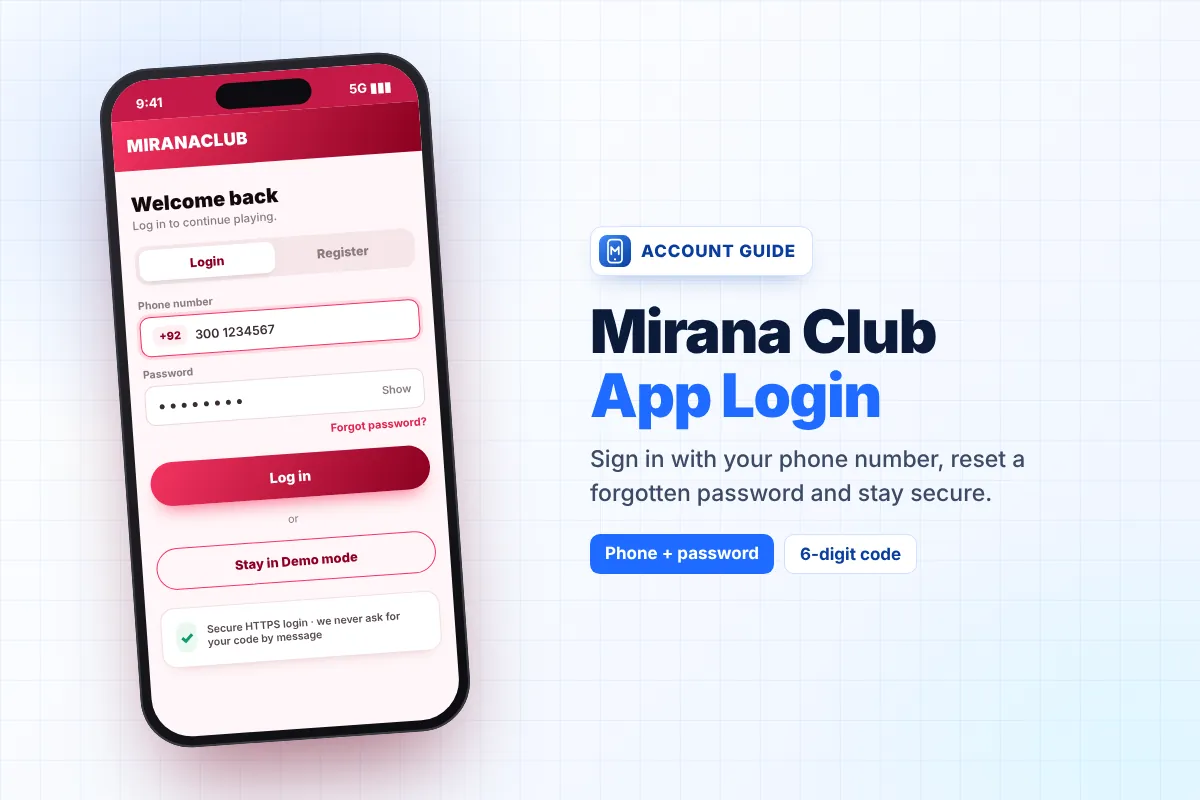
The Mirana Club app login takes only a few seconds once you know what to enter. You sign in with the phone number you used when you created your account, plus your password. This guide shows how signing in works inside the app on Android and iPhone, how to stay signed in, how to get back into your account if you forget your password, and what to do when the login screen refuses to let you in.
This is an independent guide. We cannot see or reset anyone's account, but we can show you exactly which buttons to press and which details the app expects.
Signing In Inside the Mirana Club App
Open the app from your home screen. If you installed the Quick Install version, it opens full screen like any other app. If you use the Android APK, tap the Mirana Club icon in your app drawer. Then follow these steps:
- Tap Login The button sits in the top bar of the app, next to Register.
- Check the country code Make sure the flag and code match the number you registered with, for example +92 for Pakistan.
- Type your phone number Enter it without the leading zero and without spaces.
- Type your password Passwords are case-sensitive, so "Mirana123" and "mirana123" are not the same.
- Tap Log in Your balance, bonuses and history load on the home screen.
Do not have an account yet? Create one first on our Mirana Club app register guide, then come back here.
Home-Screen App vs Browser: Which Keeps You Signed In?
Many players notice that they get logged out more often in a normal browser tab than in the installed app. The reason is simple: a browser can clear its saved data when you close private tabs, clean storage, or use a "cleaner" app. The installed app keeps its own space, so your session usually lasts longer.
| How you open Mirana Club | Stays signed in? | Good to know |
|---|---|---|
| Quick Install (home-screen app) | Usually yes | Opens full screen and updates itself automatically |
| Android APK | Usually yes | Works like a normal Android app; reinstalling may sign you out |
| Normal browser tab | Sometimes | Clearing history or cookies signs you out |
| Private / incognito tab | No | Everything is forgotten when the tab closes |
If you keep getting signed out, install the app using our Mirana Club app download guide or, on iPhone, the iOS install steps.
Forgot Your Password? Reset It by Email
The password reset in the Mirana Club app works through the email address you added at sign-up. That is why a correct email matters so much.
- Tap "Forgot password?" You will find it under the password field on the login screen.
- Enter your registered email Use the same email you typed when you created the account.
- Open your inbox You will receive a 6-digit code. Check the Spam or Promotions folder if it is not in the main inbox.
- Type the code quickly The code expires after 10 minutes. If it runs out, simply request a new one.
- Choose a new password Type it twice to confirm, then log in with your phone number and the new password.
The 6-digit code is only for you. Nobody from support, no "agent" and no friend ever needs it. Anyone who asks for it is trying to take over your account.
Using Your Account on a New Phone
Your Mirana Club account is not tied to one device. Everything is stored on your account, not on the phone. To move to a new phone:
- Install the app on the new phone (Quick Install or APK).
- Log in with the same phone number and password.
- Your balance, bonus progress and history appear automatically.
- On the old phone, tap log out if someone else will use that device.
You do not need to move any files between phones. If you changed your SIM, you still log in with the number saved on your account, because the login screen asks only for your phone number and password.
Login Errors and How to Fix Them
Most login problems come from a small typing mistake or a weak internet connection. Use this table to find your problem quickly.
| Problem | Likely cause | Fix |
|---|---|---|
| "Wrong password" message | Caps Lock, autocorrect or an old password | Type the password slowly or use "Forgot password?" |
| "Account not found" | Wrong country code or an extra zero in the number | Pick the right code and remove the first 0 |
| Login button does nothing | Weak or blocked internet | Switch between Wi-Fi and mobile data, then retry |
| Reset code not received | Email in Spam, or wrong email typed | Check Spam/Promotions and wait a minute before asking again |
| Code rejected | Code older than 10 minutes | Request a fresh code and use it right away |
| Signed out again and again | Browser data being cleared | Use the installed app instead of a private tab |
If nothing works, read our Mirana Club app not working fixes or contact Customer Service from inside the app.
Good Security Habits for Your Account
Use a unique password
Do not reuse the password from your email or social media. Mix letters and numbers.
Keep codes private
Never share your password or the 6-digit reset code by WhatsApp, Telegram or phone.
Log out on shared phones
If a family member uses your phone, log out after playing so they cannot use your balance.
Install from one source
Use the official download page only, not APK files sent in chat groups.
Ready to sign in?
Open the Mirana Club app, enter your phone number and password, and you are in. New here? Create a free account first.
Frequently Asked Questions
What details do I need for the Mirana Club app login?
You need the phone number you registered with (with the correct country code) and your password. The login screen only asks for these two details.
Why does the app keep logging me out?
This usually happens in a browser tab when cookies or site data are cleared. The installed home-screen app or the Android APK keeps you signed in for longer.
How do I reset my Mirana Club app password?
Tap "Forgot password?" on the login screen, enter your registered email, and type the 6-digit code you receive. The code is valid for 10 minutes.
I changed my SIM card. Can I still log in?
Yes. The login screen asks for your registered phone number and password, so you can sign in as long as you remember both.
Can I use one account on two phones?
Your account works on any device where you log in. For safety, log out of phones you no longer use.
Will support ever ask for my password or reset code?
No. Real support never needs your password or the 6-digit code. Anyone asking for them is trying to steal your account.